Also available in Español
Chapter 7: Analytics and Leads
How to see who visits your sites, where they come from, and which forms they completed. How to manage your leads.
7.1 Analytics Overview
Go to Analytics in the sidebar.
+----------------------------------------------------------+
|  ANALYTICS                              [Last 30 days]    |
+----------------------------------------------------------+
|  ┌─────────────┐ ┌─────────────┐ ┌─────────────┐         |
|  │  4,521      │ │  1,203      │ │    47       │         |
|  │ Page Views  │ │ Unique Vis. │ │ Form Subm.  │         |
|  └─────────────┘ └─────────────┘ └─────────────┘         |
|                                                           |
|  [Bar chart: views per day]                                |
|                                                           |
|  TOP PAGES                              RECENT            |
|  /home          2,100 views              2 min ago         |
|  /services      1,340 views              5 min ago         |
|  /about           892 views              12 min ago       |
|  /contact         189 views              1 hour ago       |
+----------------------------------------------------------+
Dashboard with metrics: 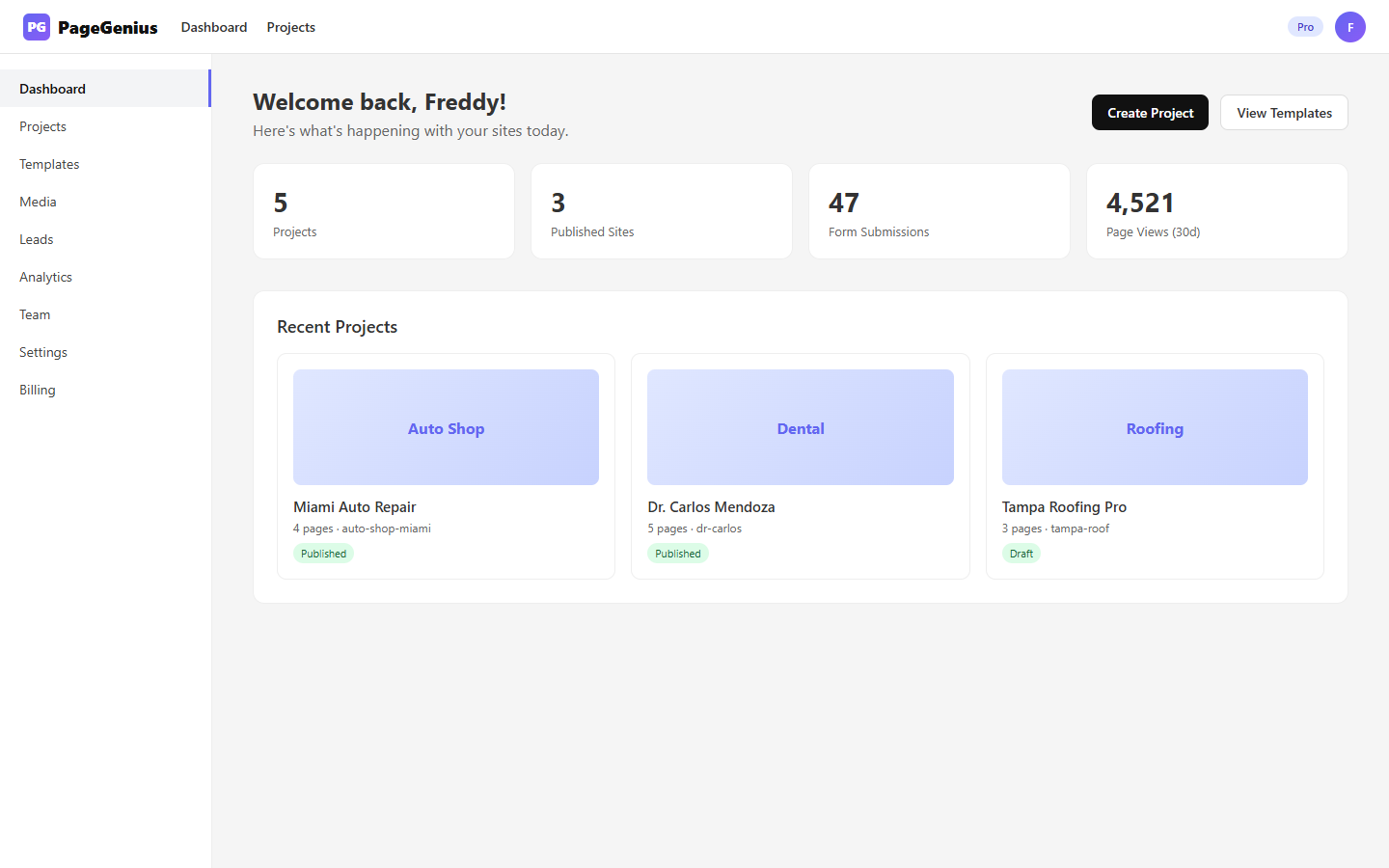
Main stats
| Stat | What it counts | Source |
|---|---|---|
| Page Views | Every time someone loads a published page | ActivityLog type pageview |
| Unique Visitors | Distinct people (based on IP + User-Agent) | Dedup in ActivityLog |
| Form Submissions | Completed contact forms | ActivityLog type submission |
Filter by project
If you have multiple projects, you can filter analytics by specific project.
7.2 Page Views
- Counted every time someone visits a published page
- Includes visits from mobile, desktop, and tablet
- Doesn't include bot visits (Googlebot, etc.)
- Updates in real-time (with a 5-minute delay)
Difference from Google Analytics
| Feature | PageGenius Analytics | Google Analytics |
|---|---|---|
| Setup | Automatic (zero config) | Requires installing code |
| Data | Page views, submissions, top pages | All of the above + demographics, behavior |
| Privacy | No tracking cookies | Uses cookies (requires GDPR banner) |
If you need advanced data: Connect Google Analytics 4 via the Custom Code widget.
7.3 Leads (Submissions)
Go to Leads in the sidebar.
What is a Lead
A person who completed a contact form on one of your sites.
+----------------------------------------------------------+
|  LEADS                                      [Export]      |
+----------------------------------------------------------+
|  [Search...]  [Filter by project ▼]                       |
|                                                           |
|  Name          Email           Project     Date           |
|  ─────────────────────────────────────────────────────    |
|  John Doe      [email protected]  Auto Shop   Today 10:23   |
|  Jane Smith    [email protected]      Dental      Yesterday 4:45 |
|  Carlos Ruiz   [email protected]    Roofing     06/02 9:12     |
|  ...                                                      |
+----------------------------------------------------------+
Information per lead
| Field | What it is |
|---|---|
| Name | What they wrote in the "Name" field |
| Email address | |
| Phone | If the form asked for it |
| Message | Free text from the form |
| Project | Which site they completed the form on |
| Page | Which URL they were on (e.g., /contact) |
| Date | When it was sent |
| IP | IP address (for approximate geolocation) |
Email notifications
Every time someone completes a form:
- It's saved in the Leads table
- An email is sent to the address configured in Settings → Notification Email
- (Optional) A webhook is fired to n8n or Zapier
Export leads
Click "Export" to download a CSV with all filtered leads.
CSV format:
name,email,phone,message,project,page,createdAt
John Doe,[email protected],305-123-4567,Need a quote,Auto Shop,contact,2026-06-04T10:23:00Z
7.4 Plan Limits
| Feature | Free | Pro | Agency |
|---|---|---|---|
| Analytics | Basic (views only) | Full | Full |
| Leads storage | 30 days | Unlimited | Unlimited |
| Export leads | No | Yes | Yes |
| Lead webhooks | No | Yes | Yes |
7.5 Analytics Problems and Solutions
"My stats are at 0"
- Cause: You don't have published sites, or nobody visited them yet.
- Solution: Publish a site and share the URL. Stats appear within 24h.
"Leads don't arrive by email"
- Cause:
- Notification email is not configured
- Email going to spam
- Sender is blocked
- Solution:
- Configure your email in Settings → Notification Email
- Check spam/promotions
- Search for "PageGenius" in your email
"I want to receive leads on WhatsApp"
- Cause: PageGenius doesn't send WhatsApp directly.
- Solution: Configure a webhook to n8n/Zapier that receives the lead and sends it via WhatsApp Business API.
"Leads appear duplicated"
- Cause: Someone submitted the form twice.
- Solution: PageGenius doesn't automatically deduplicate. Filter by email in the Leads table.
"I want to see which city my visitors are from"
- Cause: PageGenius doesn't show detailed geolocation.
- Solution: Connect Google Analytics 4 via Custom Code for demographic data.
Chapter 7 Summary
| Task | Where | Result |
|---|---|---|
| View statistics | Analytics | Page views, visitors, submissions |
| View leads | Leads | Table with name, email, message |
| Export leads | Leads → Export | CSV file |
| Configure notifications | Settings → Email | Automatic email per lead |
Next chapter: Chapter 8: Team and Billing